Best CRM for Freelancers: Stop Losing Clients to Forgotten Follow-Ups
Freelancing looks freeing until the admin catches up with you. Proposals sent and forgotten. Follow-up emails that slipped through. A client who went quiet two months ago that you meant to chase. The best CRM for freelancers doesn’t eliminate the work — it makes sure nothing important gets lost in the gaps between actual client work, where most of the revenue leak happens.
The best CRM for freelancers solves one specific problem for solo professionals: keeping every client relationship, proposal, and follow-up visible without requiring an inbox triage session every morning. This guide covers the three platforms that do this best for freelancers in 2026 — and who each one actually fits.
What the Best CRM for Freelancers Actually Needs to Do
The freelancer’s inbox is not a CRM, even though it often tries to be. Forbes research on CRM usage among small businesses finds that professionals using dedicated CRM tools save significant time on admin per week — not because the software does the work for them, but because it removes the mental overhead of tracking who needs what, when.
For freelancers specifically, the best CRM for freelancers needs to handle a few things that matter more than enterprise CRM features: a quick way to see which proposals haven’t had a response, an automated follow-up that fires when a prospective client goes quiet, a reminder to check in with a current client mid-project, and a re-engagement sequence for past clients who haven’t been in touch. None of this is complicated — it just needs to run without depending on you to remember.
Proposal follow-up. Sending one proposal and waiting is how freelancers lose work to competitors who follow up twice. A simple automated sequence a few days after sending, then again a week later, recovers a meaningful share of “yes, I meant to reply” conversations.
Lapsed client re-engagement. Past clients are the most likely source of new work — but only if someone reaches out before they’ve mentally moved on. A quarterly or semi-annual check-in, automated against the date of the last project, keeps relationships warm without manual effort.
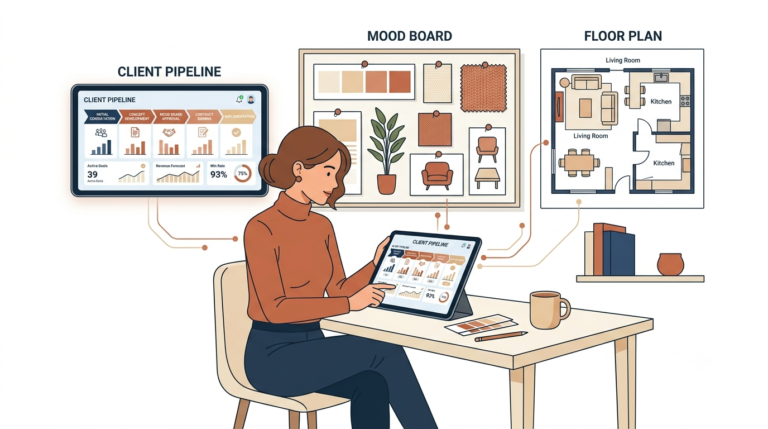
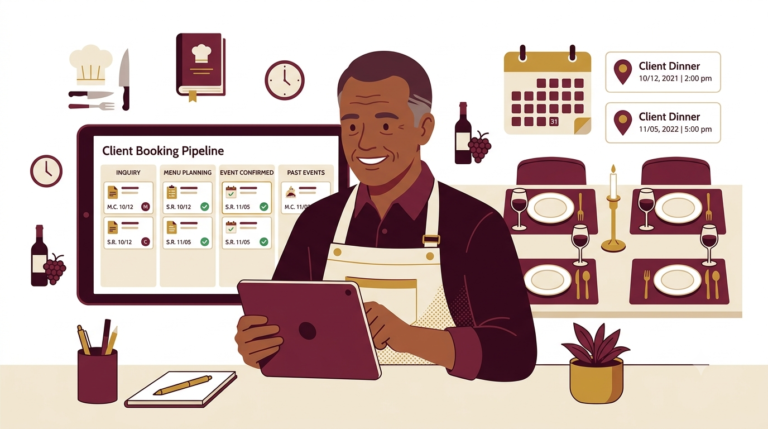
Pipeline visibility. For freelancers juggling three or four active proposals alongside ongoing work, a visual pipeline that shows the status of every conversation at a glance is the difference between a managed business and a chaotic inbox.
Our Top Picks: Best CRM for Freelancers (2026)
1. Systeme.io — Best CRM for Freelancers Who Want Everything Free
Systeme.io is the best CRM for freelancers who are watching expenses. Free for up to 2,000 contacts, it bundles CRM pipeline, email automation, landing pages, and payment processing in one platform — meaning a freelancer can manage clients, automate follow-ups, sell a digital product or course, and run an email list without paying for five separate tools.
For coaches, consultants, writers, designers, and other service-based freelancers, Systeme.io covers the full sales and marketing side of the business at no cost up to 2,000 contacts. The automation builder is simple enough to set up a working follow-up sequence in an afternoon — and it runs automatically after that without any ongoing effort. That’s why it’s our top pick for freelancers starting out.
🎯 Best free all-in-one CRM for freelancers
CRM, email automation, landing pages, and payment processing — free for up to 2,000 contacts. No credit card required.
2. Zoho CRM — Best CRM for Freelancers With a Small Team
Zoho CRM is the best CRM for freelancers who work with subcontractors, a VA, or a business partner. Free for up to three users with workflow automation included on the free tier, it scales cleanly as a freelance operation grows into a proper agency. The native connections to Zoho Bookings, Invoice, and Desk also make it useful once invoicing and client scheduling start to get complicated.
For freelancers billing at higher rates and managing more complex client relationships — retainer clients, multi-project accounts, longer sales cycles — Zoho CRM’s lead scoring and multi-channel pipeline give more control than Systeme.io’s simpler approach. Zoho’s own case studies include a number of independent consultants and agencies who grew from solo operations to small teams on the platform without needing to switch.
✓ Best for freelancers working with a team
Free for up to 3 users with workflow automation, lead scoring, and the full Zoho ecosystem as your operation grows.
3. Pipedrive — Best CRM for Freelancers Who Actively Prospect
Pipedrive is the best CRM for freelancers who are actively prospecting for clients — running outreach campaigns, pitching agencies, attending networking events, and managing several conversations at different stages simultaneously. Its visual pipeline shows exactly where every opportunity stands, and its deal rotting alerts flag conversations that have stalled before they quietly die.
At $14/user/month, Pipedrive is affordable for a single freelancer and earns its cost by recovering stalled proposals. For freelancers who rely primarily on inbound work and referrals, the pipeline management is less essential — but for those actively building their client base, it’s the best CRM for freelancers in growth mode.
📊 Best for freelancers actively building their client base
Visual pipeline, deal rotting alerts, and email automation. 14-day free trial. From $14/user/month.
How to Choose the Best CRM for Freelancers Based on Your Situation
Solo freelancer, budget-conscious, wants automation and email marketing: Systeme.io’s free plan. It’s the only option in this comparison that covers pipeline, automation, and digital product sales at zero cost.
Freelancer with a VA or business partner, or growing toward an agency: Zoho CRM’s free tier for three users with real workflow automation. Scales cleanly without a platform switch.
Freelancer actively pitching and prospecting with multiple proposals in play: Pipedrive at $14/month. The deal rotting alerts and visual pipeline keep every conversation tracked until it’s won or genuinely closed.
Just need a free contact database with no automation: HubSpot’s free plan handles basic contact storage and deal tracking well — but its automation wall at $890/month makes it a dead end once you need the CRM to actually save you time rather than just store information.
Features That Actually Matter for Freelancers
Contact timeline. Every freelancer has had the experience of a past client reaching out after a long gap and not being able to remember what they worked on together or what was discussed. A good CRM keeps a full searchable history so that conversation starts from a position of confidence rather than an awkward catch-up.
Email automation that fires without manual effort. A proposal follow-up sequence is the single highest-ROI automation most freelancers can set up. Once configured, it fires every time a proposal is sent — no manual reminder needed, no mental overhead.
Mobile access. Freelancers work from everywhere. A CRM that requires a desktop to log a call or update a deal status is a CRM that doesn’t get updated, which defeats the point. All three platforms above have usable mobile apps.
Affordable or free pricing. Freelance income is variable. A CRM on a $200+/month Enterprise tier is a fixed overhead that gets cancelled the first slow month. The right CRM either has a meaningful free tier or stays under $20/month at the individual level.
Getting Started With the Best CRM for Freelancers
The most common mistake freelancers make when setting up a CRM is building every automation before actually using the platform. The better approach is to import contacts, set up the pipeline stages that match your actual process (enquiry, proposal sent, negotiation, active, complete), configure one follow-up sequence, and start using it daily. Complexity can come later.
The right CRM is the one that actually gets opened and updated. Start simple, get the habit established, and add features as the gaps become obvious.
Frequently Asked Questions
What is the best free CRM for freelancers?
Systeme.io — free for up to 2,000 contacts with email automation included. It’s the only platform in this comparison that provides real automation on the free tier without a time limit or contact ceiling. For basic contact management only, HubSpot’s free plan is also worth considering.
Do freelancers really need a CRM, or is a spreadsheet enough?
A spreadsheet works fine at five clients. A dedicated CRM becomes essential once there are ten or more active and past client relationships to track — particularly for follow-up automation, which a spreadsheet simply cannot do without manual intervention every time.
What is the best CRM for freelancers who also sell online courses?
Systeme.io — it bundles CRM, email automation, and course hosting in one platform at no cost for up to 2,000 contacts. It’s the only option in this guide that handles all three without requiring additional tools.
Compare the Best CRM for Freelancers
Related reading: our guides on the best CRM for coaches, CRM for social media managers, and best CRM for virtual assistants.
Affiliate Disclosure: This article contains affiliate links. If you click through and make a purchase, we may earn a commission at no additional cost to you. We only recommend products we believe add real value to our readers.