ClickUp vs Monday: Which Is Actually Right for a Service Business?
The clickup vs monday debate comes up a lot for service business owners who need somewhere to manage client work, track tasks, and coordinate a team — but aren’t quite sure whether a project management tool is what they actually need or whether a dedicated CRM would serve them better. This clickup vs monday comparison covers both platforms honestly, then flags where service businesses sometimes end up with the wrong tool entirely.
The short version of the clickup vs monday decision: ClickUp gives you more power and flexibility at a lower price, but requires more setup time. Monday is faster to get running but more expensive for teams and less capable at scale. Neither is really designed as a CRM — which matters a lot for service businesses whose primary need is managing leads and client relationships rather than project delivery.
What Each Platform Actually Is
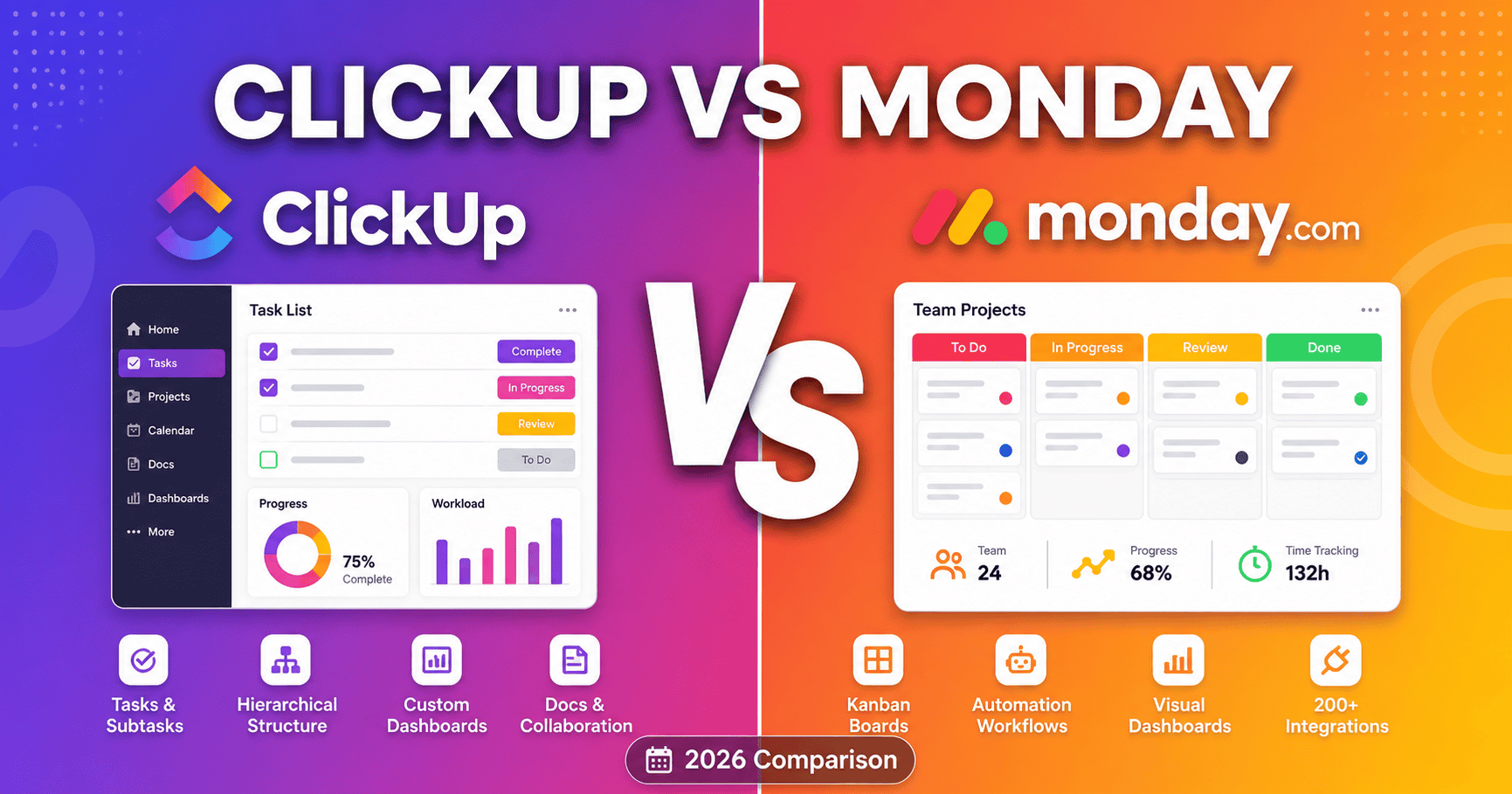
ClickUp is a project management platform built around maximum flexibility. You can configure it to work almost any way you want — hundreds of integrations, dozens of views, custom fields, automations, time tracking, docs — which is powerful but takes real setup time before it feels efficient rather than overwhelming.
Monday.com is a work management platform built around ease of use. It’s visually intuitive, colourful, and most teams are creating boards and assigning work within minutes with no training. The trade-off is a more restricted free plan and a higher price for growing teams.
ClickUp vs Monday: Feature Comparison
| Feature | ClickUp | Monday |
|---|---|---|
| Free plan | ✓ Unlimited members | ✓ 2 seats max |
| Native time tracking | ✓ All plans | ✗ Integration only |
| Views available | 15+ (list, board, Gantt, etc.) | 8+ (board, calendar, etc.) |
| CRM functionality | Configurable, not native | CRM template available |
| Learning curve | Steep — weeks to full setup | Low — minutes to start |
| Starting paid price | $7/user/month | $9/user/month |
Where ClickUp Wins in This Comparison
The free plan is genuinely generous. Unlimited tasks, unlimited members, core features included — not a stripped trial. ClickUp’s free plan is one of the most capable free project management tiers available, which matters for a service business that wants to try it before committing.
Native time tracking on every plan. If your business bills hourly or tracks time for project profitability, ClickUp handles this natively without a third-party integration. Monday requires add-ons or integrations for the same capability.
More views for the same price. List, board, calendar, Gantt, timeline, table, mind map — you can look at the same work in whatever format makes sense for a given project without upgrading.
Long-term scalability. The complexity that makes ClickUp harder to start with is also what makes it more powerful at scale. Businesses that invest in the setup time tend to get more out of it long-term than teams that opted for Monday’s simplicity and later hit its ceiling.
Where Monday Wins in This Comparison
Immediate usability. A team can be creating boards and assigning work within minutes with essentially no training. Monday’s pricing page reflects this positioning — it’s built for teams that prioritise speed of adoption over depth of configuration.
Better mobile experience. Monday’s mobile app is more polished than ClickUp’s, which matters for field teams checking tasks and updating status on the go.
Cleaner visual interface. Some teams find ClickUp’s density overwhelming even after setup. Monday’s colour-coded boards are easier to scan at a glance, which keeps adoption rates higher among non-technical staff.
The Part That Matters Most for Service Businesses
The clickup vs monday debate often reveals a more fundamental question: is project management software actually what a service business needs, or do they need a CRM?
Both ClickUp and Monday can be configured to track clients and deals, but neither is built for it the way a dedicated CRM is. They don’t have native email automation, deal rotting alerts, or follow-up sequences — the features that actually prevent leads from going cold and past clients from drifting away. For service businesses where the primary gap is client management rather than project delivery, a purpose-built CRM serves better than a project management tool stretched to fit.
That said, both ClickUp and Monday genuinely excel at managing work after a client is signed — project timelines, task assignment, milestone tracking, team coordination. The best setup for many service businesses is a CRM for winning and retaining clients, and one of these tools for delivering the work.
The Best CRM Alternatives to Both
If the clickup vs monday comparison has made you realise what you actually need is something that manages client relationships, automated follow-ups, and pipeline visibility, these are the platforms worth considering instead:
💡 Need client management, not just task management?
Systeme.io handles CRM, automated follow-ups, and email marketing free for up to 2,000 contacts.
✓ Better than ClickUp or Monday for client management
Zoho CRM is free for up to 3 users with workflow automation, lead scoring, and the full Zoho ecosystem.
🔧 Manage deals and proposals, not just tasks
Pipedrive’s visual pipeline and deal rotting alerts keep every quote visible until it’s won or lost. From $14/user/month.
ClickUp vs Monday for Specific Service Business Types
Agencies and consultants running multiple client projects simultaneously tend to get more out of ClickUp’s flexibility and native time tracking for billing. The ability to configure separate workspaces for each client makes the clickup vs monday decision fairly clear for this group.
Trades businesses with field teams often prefer Monday’s simpler interface. The clickup vs monday trade-off here is depth vs speed — Monday gets adopted, ClickUp gets abandoned by teams who find it overwhelming.
Solo operators and coaches often find they don’t need project management software at all. The clickup vs monday decision becomes irrelevant when the actual need is client tracking and automated follow-up — two things a CRM handles far better than either platform.
Cleaning and home service businesses with recurring clients and scheduling needs may find neither ClickUp nor Monday fits well. Field service platforms like Jobber handle scheduling and client management more naturally for businesses with high job volume and repeat customers.
ClickUp vs Monday: What the Data Shows
On comparison platforms, both tools score well but in different areas. ClickUp consistently rates higher for feature depth and value, Monday consistently rates higher for ease of use and implementation time. The clickup vs monday ratings split reflects exactly the trade-off described above: ClickUp delivers more, Monday delivers it faster.
The Honest Verdict on ClickUp vs Monday
The clickup vs monday decision comes down to two things: how much setup time you’re willing to invest, and what your free plan needs look like.
If you want the most capable free plan and long-term flexibility at the cost of a steeper learning curve: ClickUp. If you want something running in minutes with minimal friction at the cost of a more restricted free tier: Monday.
But if you’re a service business whose real problem is managing leads, following up on quotes, and retaining past clients — neither ClickUp nor Monday is the right tool. A dedicated CRM like Systeme.io, Zoho, or Pipedrive solves those problems in ways that project management software simply isn’t built to.
Frequently Asked Questions
Can I use ClickUp or Monday as a CRM?
Both can be configured to track client information and deals, but neither has native email automation, deal rotting alerts, or follow-up sequences. In the clickup vs monday CRM debate, both lose to dedicated CRM platforms for service businesses whose primary need is client management.
Which is better for a solo service business?
If you need project management: ClickUp’s unlimited free plan is hard to beat. If you need client relationship management: Systeme.io’s free plan covers CRM and email automation without the project management complexity that neither ClickUp nor Monday was primarily built for.
Is Monday worth the higher price over ClickUp?
For teams that genuinely won’t invest the setup time ClickUp requires, Monday’s faster adoption can justify the premium. For most service businesses willing to invest a few days in setup, the clickup vs monday price difference favours ClickUp significantly over a year of paid plans.
Compare Your CRM Options
Related reading: our best CRM for service businesses guide and HubSpot alternatives for service operators.
Affiliate Disclosure: This article contains affiliate links. If you click through and make a purchase, we may earn a commission at no additional cost to you. We only recommend products we believe add real value to our readers.