
Jobber vs HouseCall Pro vs GoHighLevel: The Ultimate Guide for Service Businesses (2026)
An HVAC company owner we’ve spoken with tried GoHighLevel first, expecting it to fix a scheduling mess it was never built to fix. Six months in, his crews were still double-booked and jobs still got missed — but his lead follow-up had never been better. The fix wasn’t switching platforms. It was adding Jobber for operations and keeping GoHighLevel for marketing. That’s the real lesson behind this comparison: these three tools aren’t really competing with each other, they’re solving three different problems.
The quick verdict
- Jobber — best for field service companies with 2–15 technicians who need scheduling, quoting, routing, and invoicing in one operational platform
- HouseCall Pro — best for residential businesses focused on homeowner experience, online booking, and review generation
- GoHighLevel — best for businesses wanting a full marketing and automation engine: CRM, funnels, SMS, reputation management, pipeline tracking
Jobber and HouseCall Pro are operational tools — they run jobs, scheduling, dispatch. GoHighLevel is a marketing and automation platform — it runs leads, follow-up, and growth. Plenty of the best-run service businesses use one from each category rather than picking a single winner.
Jobber — the field operations backbone
Jobber is the deepest of the three on pure operations: drag-and-drop scheduling with crew assignment, route optimisation to cut drive time, professional quoting with e-signature, recurring job scheduling for maintenance contracts, a mobile app crews actually use, and a client hub for approvals and payment.
Pricing: Lite $49/month (1 user), Core $99/month (up to 5), Connect $149/month (up to 10), Grow $249/month (up to 20, full feature set). Most growing businesses land on Connect or Grow — the real cost is $149–$249/month, not the $49 headline price.
Choose Jobber when scheduling chaos, inefficient routing, slow quoting, and unpaid invoices are the actual bottleneck. Strongest fit for HVAC, plumbing, electrical, landscaping, cleaning, and pest control with multiple technicians.
HouseCall Pro — built around the homeowner
HouseCall Pro wins on the customer-facing side: an online booking widget for your website and Google profile, instant quotes for standard packages, GPS-tracked technician ETAs the customer can see, automated Google review requests after every job, membership plan management, and consumer financing for bigger jobs.
Pricing: Starter $79/month (1 user), Essentials $149/month (up to 5), Max $299/month (unlimited users).
Choose HouseCall Pro when customer experience and online reputation are what drive new business — HVAC, plumbing, garage door, appliance repair, pest control.
🚀 Systeme.io: the best value CRM alternative
Get CRM, email automation, funnels, and lead nurturing at $27/month — a fraction of what Jobber, HouseCall Pro, or GoHighLevel charge.
GoHighLevel — the marketing engine
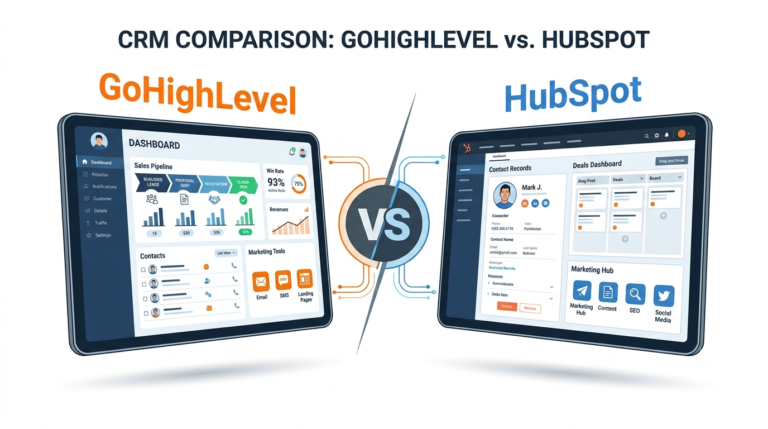
GoHighLevel wins on lead nurturing and revenue growth: a full CRM and pipeline with automated follow-up, missed call text-back, a funnel and landing page builder, automated reputation management, a unified inbox across channels, and an AI conversation layer for 24/7 response.
Pricing: Starter $97/month (1 location), Unlimited $297/month (unlimited sub-accounts, white-label), Agency Pro $497/month.
Choose GoHighLevel when leads come in but don’t get followed up fast enough, estimates go out without any nurture sequence, or past customers never get re-engaged for repeat work.
Feature comparison
| Feature | Jobber | HouseCall Pro | GoHighLevel |
|---|---|---|---|
| Field scheduling | Excellent | Good | Basic |
| Route optimisation | Yes | Yes | No |
| SMS automation | Basic | Basic | Excellent |
| Lead nurture sequences | No | No | Excellent |
| Visual sales pipeline | Basic | Basic | Good |
| Reputation management | Basic | Good | Excellent |
| Invoicing | Excellent | Good | Basic |
| Starting price | $49/mo | $79/mo | $97/mo |
What these actually cost once you scale
The advertised entry prices rarely match what a growing business pays. Realistically: Jobber runs $149–$249/month once you’re past 2 crews, HouseCall Pro settles around $149/month for a small team, and GoHighLevel lands around $110–$147/month all-in once SMS usage is factored in. On pure automation value per dollar, GoHighLevel’s Starter tier out-features either competitor’s mid-tier plan.
💡 Systeme.io: $27/month budget alternative
CRM, email automation, funnels, and lead nurturing — everything you need for marketing automation at a fraction of the cost.
The pairing that actually works
The strongest setups usually run two platforms, not one: Jobber or HouseCall Pro handles the operational side — scheduling, dispatch, routing, invoicing — while GoHighLevel (or a lighter tool like Systeme.io) handles growth — lead capture, automated follow-up, SMS sequences, re-engaging past customers.
GoHighLevel is the clear pick when a business is missing 20%+ of inbound calls, running paid ads without a real funnel or pipeline behind them, wants automated review generation from every completed job, manages multiple locations, or wants AI handling after-hours response.
Jobber vs HouseCall Pro directly
Jobber if you’re managing complex daily schedules across several crews and need real route optimisation plus a mobile app technicians will actually open. HouseCall Pro if you’re residential-focused and want the strongest online booking experience and automated review flow.
Pipedrive — the simpler pipeline-only option
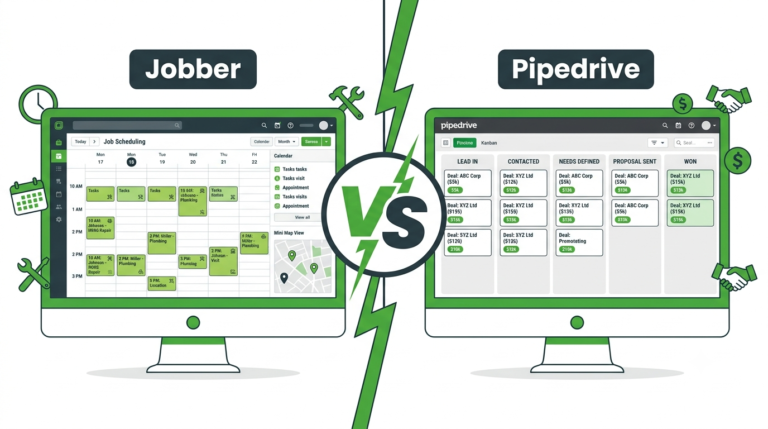
If all three of the above feel like more than you need right now, Pipedrive is worth a look for pure deal tracking. Its kanban board is the cleanest in this comparison — every lead, quote, and follow-up visible at a glance — which suits small B2B service operations (commercial cleaning, IT support, facility management) where tracking quotes through to close is the actual pain point. It won’t replace Jobber’s scheduling or GoHighLevel’s SMS automation, but for pipeline clarity alone, it’s the most focused tool here at the lowest price.
🔧 Pipedrive: the visual CRM built for closing deals
Pipedrive’s drag-and-drop pipeline gives you instant visibility over every lead, quote, and follow-up — so nothing slips through the cracks. From $14/user/month.
Frequently asked questions
Is GoHighLevel better than Jobber?
They’re better at different things — GoHighLevel wins on marketing automation and follow-up, Jobber wins on operational scheduling. The strongest service businesses often run both rather than picking one.
What’s the cheapest option here?
Jobber starts at $49/month, HouseCall Pro at $79, GoHighLevel at $97. For pure marketing automation at low cost, Systeme.io at $27/month covers CRM, email, and nurturing. For pipeline-only, Pipedrive starts at $14/user/month.
Can GoHighLevel replace Jobber?
No — it doesn’t have Jobber’s scheduling depth, route optimisation, or crew management. Multi-crew businesses generally need both: GoHighLevel for marketing, Jobber for field operations.
What’s best for a solo operator?
Solo operators rarely need heavy scheduling. HouseCall Pro’s $79/month Starter covers basic scheduling and reviews; Pipedrive at $14/month is the best value for pure pipeline tracking; Systeme.io at $27/month suits customer marketing without any crew-management overhead.
The bottom line
Scheduling and operations chaos → Jobber. Homeowner experience and online booking → HouseCall Pro. Lead follow-up and revenue growth → GoHighLevel. Simple pipeline tracking → Pipedrive. Marketing automation on a budget → Systeme.io. The businesses getting the most out of any of these are usually running one operational tool and one growth tool together, not searching for a single platform to do everything.
📈 Start with Systeme.io free
CRM, email automation, funnels, and lead nurturing — free to start, no credit card required.
Compare our top CRM picks
Related guides
Affiliate Disclosure: This article contains affiliate links. If you click through and make a purchase, we may earn a commission at no additional cost to you. We only recommend products we believe add real value to our readers.