Best Scheduling Software for Mobile Car Detailers: Proven Picks to Stop Wasting Drive Time
A mobile detailer once booked what looked like a perfectly reasonable Tuesday — four two-hour details, back to back. On paper it worked. In practice, the third appointment was forty minutes across town from the second, and he spent that gap apologising by text to a client who’d been told he’d arrive at 1pm and was still watching traffic at 1:35. The best scheduling software for mobile car detailers solves exactly that hidden problem: a fixed-location shop only has to think about service time, but a mobile business has to think about service time plus drive time plus buffer — and manual scheduling has no sense of geography.
The best scheduling software for mobile car detailers also handles the other half of the problem: customer no-shows, booking confirmations, and automatic reminders that turn the “meant to call back” enquiry into a confirmed appointment. This guide covers the platforms that do this best in 2026.
The Math That Manual Scheduling Ignores
A basic calendar app happily books two appointments on opposite sides of a city back to back, because nothing about the tool knows or cares about geography. A thirty-minute drive gap that “should” be fifteen minutes is easy to miss at booking time and painful when it shows up mid-day. Multiply that across a week and a mobile detailer with four or five appointments daily can lose thirty to sixty minutes of billable time every day through nothing more than inefficient sequencing.
SBA guidance on service business operations consistently highlights time management as the primary controllable variable in profitability — which in mobile detailing often means the difference between a profitable and break-even day coming down to how well the schedule accounts for physical geography.
What the Best Scheduling Software for Mobile Car Detailers Actually Needs
Self-booking with real availability. A customer who can see actual open slots and confirm instantly converts far more reliably than one left waiting for a callback. The best scheduling software for mobile car detailers shows only available slots, accepts the booking directly, and fires a confirmation automatically.
Automatic appointment reminders. A no-show in mobile detailing costs more than in a shop — drive time is lost too. A text or email the day before and morning of eliminates the majority of no-shows without any manual effort. This single automation typically saves several hours of wasted drive time per month.
Deposit collection at booking. A customer who has paid something upfront shows up at dramatically higher rates than one who has committed only verbally. The best scheduling software for mobile car detailers integrates payment collection into the booking flow.
Rebooking prompts after each job. The most profitable scheduling outcome is converting a one-time appointment into a recurring monthly booking. The best scheduling software for mobile car detailers either handles this natively or connects to a CRM that sends a rebooking offer automatically after each completed job.
Our Top Picks: Best Scheduling Software for Mobile Car Detailers in 2026
1. Systeme.io — Best Scheduling Software for Mobile Car Detailers Starting Out
Systeme.io is the best scheduling software for mobile car detailers who want booking pages, automatic confirmations, appointment reminders, and post-service follow-up at zero cost. Free for up to 2,000 contacts, it handles the client communication side — confirmations, day-before reminders, post-job follow-up with a monthly plan offer, and review requests — without any subscription.
For solo detailers and small teams, Systeme.io covers the highest-value scheduling automations: the reminder that prevents no-shows, the post-job message that generates the Google review and the monthly plan offer, and the re-engagement sequence that brings past clients back. All of this runs automatically once configured.
📅 Best free scheduling software for mobile car detailers
Booking pages, appointment reminders, post-service follow-up — free for up to 2,000 contacts. No credit card required.
2. Zoho CRM + Zoho Bookings — Best for Mobile Car Detailers With a Team
Zoho CRM paired with Zoho Bookings is the best scheduling software for mobile car detailers managing multiple technicians. Zoho Bookings lets clients self-schedule appointments that appear directly in each technician’s calendar — routing bookings to the right person based on availability or service zone — while Zoho CRM handles client records, workflow automation, and follow-up sequences.
Free for up to three users with workflow automation on the free tier, this combination handles team scheduling complexity without a high-cost field service platform. Zoho Bookings adds from $6/month alongside the free CRM tier.
✓ Best scheduling software for detailing teams of 2–10
Self-booking that routes to the right technician automatically, plus CRM and workflow automation — free for 3 users.
3. Pipedrive — Best for Scheduling and Managing Commercial Detailing Accounts
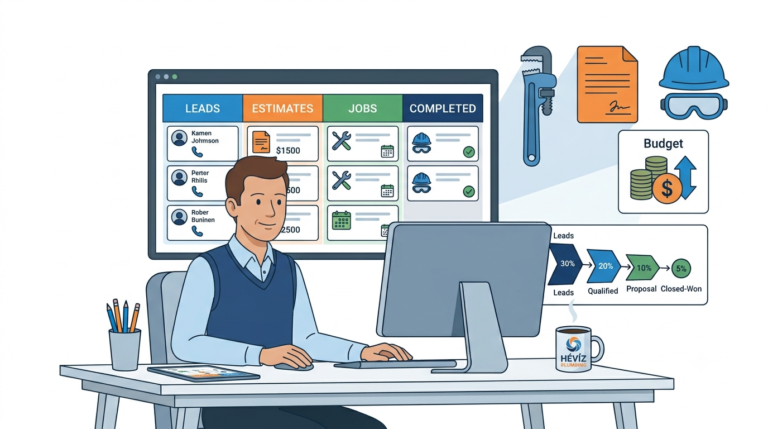
Pipedrive is the best scheduling software for mobile car detailers winning commercial contracts — fleet operators, car dealerships, car rental companies — where the “scheduling” conversation is really a multi-step sales process. Its visual pipeline tracks every commercial prospect from enquiry through proposal and agreement, and its deal rotting alerts flag any account that hasn’t had activity recently.
For a mobile detailing business handling residential day-to-day scheduling alongside longer-cycle commercial account development, Pipedrive manages the commercial side while Systeme.io or Zoho handles residential scheduling. At $14/user/month, it earns its cost by preventing commercial accounts from going cold.
🔧 Best for commercial detailing account management
Visual pipeline and deal rotting alerts for commercial accounts. From $14/user/month.
Scheduling Software vs Dedicated Field Service Platforms
Purpose-built platforms like Housecall Pro, Mobile Tech RX, or ServiceM8 offer features specifically for mobile operations — algorithmic route optimisation, GPS tracking, on-site invoicing, and multi-technician dispatch boards. For businesses with four or more vans running simultaneous routes, these platforms genuinely earn their higher monthly cost.
For solo operators and small teams, the best scheduling software for mobile car detailers handles the customer communication side — confirmations, reminders, rebooking — more cost-effectively. Many mobile detailers use a lightweight scheduling CRM alongside Google Maps or a route planning app, two tools that together cost less than most field service platforms and cover what’s actually needed at early scale.
The Scheduling Habits That Save the Most Time
Review addresses before confirming a slot. A brief check that the new booking is near other confirmed appointments for the same day — rather than accepting in arrival order — prevents the zigzag schedule that wastes drive time without anyone realising until the day itself.
Build real buffer into quoted appointment lengths. A two-hour detail booked as a two-hour slot leaves no buffer for late arrivals or products taking longer than expected. Quoting two and a half hours for a two-hour service and blocking that in the schedule prevents cascading lateness across the back half of the day.
Pulling up last week’s schedule and checking actual distances between consecutive appointments reveals how much time better sequencing could reclaim. Most detailers find at least one day per week could have been tightened meaningfully, just by grouping differently.
Converting Scheduling Into Recurring Revenue
The highest-leverage scheduling outcome isn’t fitting more appointments into a day — it’s converting each one-time booking into a recurring monthly client. A customer who booked once and was impressed is the strongest candidate for a monthly maintenance plan. The best scheduling software for mobile car detailers triggers a follow-up offer automatically a few days after each completed job, at exactly the moment the customer can still see the result and is most likely to say yes.
Most mobile detailers who implement this automation see monthly recurring bookings grow significantly within the first thirty days — without adding a single extra marketing spend, simply by systematically converting existing satisfied customers rather than constantly chasing new ones.
Frequently Asked Questions
What is the best free scheduling software for mobile car detailers?
Systeme.io — free for up to 2,000 contacts with booking pages, appointment reminders, and post-service follow-up included. It’s the strongest free starting point in this best scheduling software for mobile car detailers comparison for solo operators who want to automate confirmations and reminders without a monthly bill.
Does the best scheduling software for mobile car detailers handle route optimisation?
General CRM and scheduling tools handle the client communication side very well. Purpose-built route optimisation requires either a dedicated field service platform or a standalone route planner like Route4Me or Google Maps. Many mobile detailers use both: a scheduling CRM for client communication and a route tool for daily sequencing.
How do appointment reminders affect no-show rates for mobile detailers?
Significantly — a reminder sent the day before and morning of typically reduces no-show rates by 50–70%. For mobile detailers, where a no-show means wasted drive time as well as lost revenue, this single automation often delivers the clearest ROI of any scheduling feature.
Compare the Best Scheduling Software for Mobile Car Detailers
Related reading: our guides on the best CRM for mobile detailing businesses, how mobile detailers get more repeat customers, and CRM for appointment reminders.
Affiliate Disclosure: This article contains affiliate links. If you click through and make a purchase, we may earn a commission at no additional cost to you. We only recommend products we believe add real value to our readers.