Jobber vs Pipedrive for Service Businesses (2026): The Definitive Comparison
The Jobber vs Pipedrive decision comes up constantly for service businesses. Both are popular, both work well — but they’re built for fundamentally different problems.
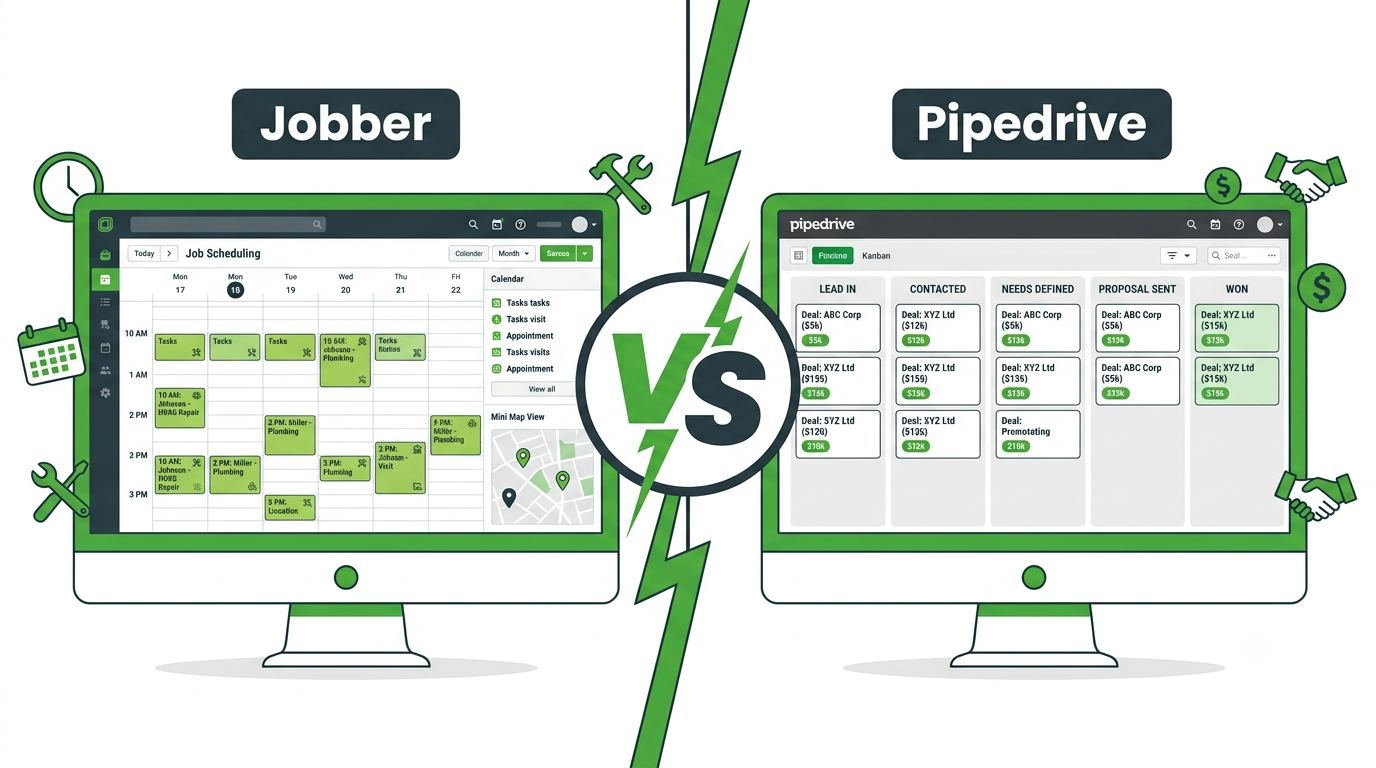
Jobber is built for field service operations: scheduling, dispatch, invoicing, and customer communication for businesses that send teams to jobs. Pipedrive is built for sales pipeline management: tracking leads, following up on estimates, and closing contracts.
🔧 Try Pipedrive Free
Visual pipeline to track every service business proposal from first call to signed contract. From $14/user/month.
Jobber vs Pipedrive: Platform Overview
Jobber is a field service management platform purpose-built for home service businesses — cleaners, landscapers, plumbers, HVAC, roofers, and similar trades. It handles quotes, scheduling, job dispatch, invoicing, and customer follow-up in one platform. Plans start at $49/month and scale to $249/month.
Pipedrive is a sales CRM built around a visual pipeline. It tracks every lead from first contact to closed deal, with deal rotting alerts, automated follow-up sequences, and revenue forecasting. It does not handle scheduling, dispatch, or invoicing. Plans start at $14/user/month.
The core Jobber vs Pipedrive distinction: Jobber manages jobs after they’re booked. Pipedrive wins the jobs in the first place.
Jobber vs Pipedrive: Features Compared
| Feature | Jobber | Pipedrive |
|---|---|---|
| Sales pipeline / CRM | Basic | ✓ Core feature |
| Job scheduling & dispatch | ✓ | ✗ |
| Invoicing | ✓ | ✗ |
| Deal rotting / stalled lead alerts | ✗ | ✓ |
| Automated follow-up sequences | Basic | ✓ |
| Revenue forecasting | ✗ | ✓ |
| Customer communication (SMS/email) | ✓ | Email only |
| Starting price | $49/month | $14/user/month |
Jobber vs Pipedrive: Sales Pipeline Strength
Pipedrive wins on sales pipeline management. It was built from the ground up to help businesses track, follow up on, and close more leads. Every feature in Pipedrive is designed around moving deals through a pipeline faster.
Jobber has a quotes module, but its pipeline visibility is limited. There is no deal rotting feature, no visual pipeline by stage, and no revenue forecasting based on open estimates. For a service business that wants to increase its estimate conversion rate, Pipedrive is the stronger tool.
According to Jobber’s own user reviews, the most common limitation cited is that Jobber’s CRM features feel secondary to its scheduling tools — which is by design, but means it’s not the right choice for businesses where winning new contracts is the primary challenge.
Jobber vs Pipedrive: Field Operations Strength
Jobber wins on field operations. Scheduling, dispatch, route optimisation, on-site invoicing, and team GPS tracking — none of these exist in Pipedrive. If your primary need is managing active jobs and field teams efficiently, Jobber is the right platform.
In the Jobber vs Pipedrive comparison, the question is really: what is your biggest problem right now? Winning more jobs, or delivering them better?
✓ Try Zoho CRM Free
Want CRM pipeline management with some operational features built in? Zoho CRM is free for 3 users with workflow automation included.
Jobber vs Pipedrive: Pricing
- Jobber Core: $49/month — 1 user, quotes, scheduling, invoicing
- Jobber Connect: $149/month — up to 5 users, online booking, automated follow-up
- Jobber Grow: $249/month — unlimited users, advanced reporting, lead management
- Pipedrive Essential: $14/user/month — visual pipeline, deal management, email integration
- Pipedrive Advanced: $34/user/month — email sequences, workflow automation
- Pipedrive Professional: $49/user/month — revenue forecasting, team management
In the Jobber vs Pipedrive pricing comparison, Pipedrive is cheaper for sales-focused teams. Jobber costs more but includes scheduling and invoicing that Pipedrive doesn’t offer.
Jobber vs Pipedrive: Which Should You Choose?
Choose Jobber if: you have an active field team that needs scheduling, dispatch, and on-site invoicing in one tool. Your primary challenge is operational efficiency — getting jobs scheduled, invoiced, and communicated on time.
Choose Pipedrive if: your primary challenge is winning more jobs — generating estimates, following up on quotes, and converting more leads into signed contracts. You already have (or don’t need) a scheduling tool.
Consider using both: Many service businesses use Jobber for operations and Pipedrive for sales pipeline. Pipedrive wins the job; Jobber delivers it. The two tools integrate via Zapier.
Frequently Asked Questions: Jobber vs Pipedrive
Is Jobber Better Than Pipedrive for Service Businesses?
It depends on your biggest challenge. In the Jobber vs Pipedrive comparison, Jobber wins for operational management of active jobs. Pipedrive wins for winning more jobs through better sales pipeline management and estimate follow-up.
Can Jobber Replace a CRM?
For basic customer tracking, yes. For active sales pipeline management, no. Jobber lacks deal rotting alerts, revenue forecasting, and the dedicated follow-up automation that makes Pipedrive effective as a Jobber vs Pipedrive sales comparison winner.
Does Pipedrive Work for Field Service Businesses?
Pipedrive works well as a sales CRM for field service businesses but does not replace Jobber’s scheduling and dispatch features. In the Jobber vs Pipedrive decision, field service businesses that need both tools should use Pipedrive for sales and Jobber for job delivery.
Compare Our Top CRM Picks
Related Guides
- Jobber vs Housecall Pro vs GoHighLevel
- Pipedrive Review for Service Businesses
- Best CRM for Contractors
- Automate Estimates and Quotes with a CRM
- Best CRM for Service Businesses in 2026
Affiliate Disclosure: This article contains affiliate links. We may earn a commission if you make a purchase, at no extra cost to you.