Facebook Lead Ads to CRM in 5 Minutes: Setup and Follow-Up Scripts
Facebook lead forms are built to be easy: two taps, name and number already filled in, sent before the person has finished scrolling. That’s why they bring in volume, and it’s also why those leads cool off fast. Someone who tapped a form at 8pm has usually moved on by the time the callback list is worked through the next morning.
The fix is to get every Facebook lead into your CRM within seconds and have the first message go out automatically. This guide shows what slow handling costs, the follow-up sequence and scripts, and a five-minute setup that connects Facebook Lead Ads to your CRM.
Editor’s choice for Facebook leads: Zoho CRM
Zoho CRM can pull Facebook Lead Ads into its own pipeline, run your follow-up rules and show which campaigns produce bookings, not just form fills. Free edition for up to 3 users; workflow automation on paid editions.
Why Facebook leads go cold
Without a CRM in the loop, the usual path is: the lead submits, it sits in Meta’s Leads Center, someone downloads a CSV hours later, and someone else starts calling. By then many people have forgotten they enquired or booked someone who answered sooner.
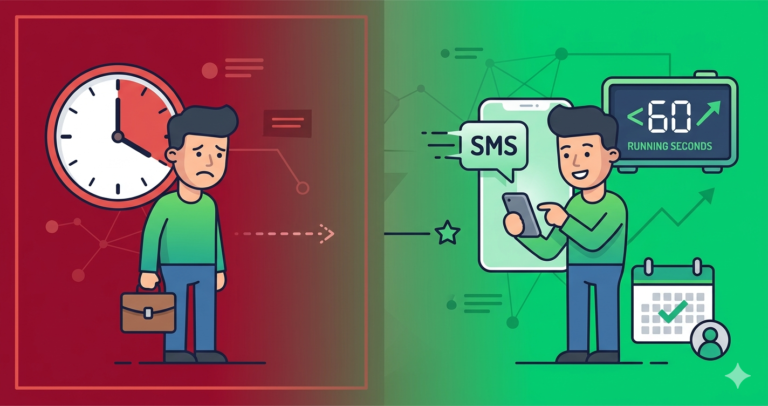
Put a number on it. Say you spend $1,500 a month at $25 a lead, so 60 leads. If slow handling books 7 of them, each booking cost about $214. If fast follow-up books 15, the same spend costs $100 a booking and brings 8 more jobs. The ads didn’t change; the follow-up did.
Set it up in five minutes: Facebook Lead Ads to your CRM
Option 1: a direct connection
Some CRMs, including Zoho CRM, can connect to Facebook Lead Ads directly so new leads land in the CRM automatically. Meta’s Leads Center also lists CRM integrations. If your CRM is there, use that first: fewer moving parts.
Option 2: Zapier (works with Pipedrive, Zoho and most tools)
- Trigger: in Zapier, choose Facebook Lead Ads → New Lead, then connect your Facebook page and pick the lead form.
- Action 1: create a person and deal in Pipedrive (or a lead in Zoho CRM). Map name, phone, email and the answers to your form questions, and set the source to “Facebook – [campaign]”.
- Action 2: send the first text through your SMS tool, using the script below.
- Action 3: notify whoever handles new leads, by email, app notification or team chat.
- Test it: use Meta’s Lead Ads Testing Tool to submit a test lead and check it arrives in the CRM and the text goes out.
Once leads arrive in real time, build the follow-up in the CRM: an activity for the callback, then the timed touches below.
Improve the form while you’re there
- Add one qualifying question (“What do you need help with?” or “When do you need it done?”) so the first call starts in the right place.
- If lead quality is poor, try Meta’s higher-intent form type, which adds a review step before submitting. You’ll get fewer leads, but more of them will pick up.
- Add clear consent wording for texts and calls on the form.
The follow-up sequence and scripts
- Within 2 minutes (text): “Hi [Name], thanks for your enquiry about [service] on Facebook. I’ll give you a quick call in the next few minutes, or reply here with a good time.”
- Within 5 minutes: the first call. If there’s no answer, leave a short voicemail.
- 15 minutes, no reply (text): “Just tried to call you. You can pick a time that suits here: [link], or just reply to this message.”
- 1 hour (email): a short email with what the service includes, a couple of photos or reviews, and the booking link.
- Next day (text): “Hi [Name], still happy to help with [service]. Reply here or call [number], no pressure.”
- Day 3: move them to a slow monthly nurture or mark as lost with a reason.
Ready to turn form fills into booked jobs?
If Facebook leads turn into quotes or consultations, Pipedrive keeps every one on a visual pipeline and reminds you who needs a call. Free trial, then from $14 per user per month.
Which tool fits you
- Zoho CRM: businesses running Facebook alongside Google, website and referral leads who want routing, scoring and reporting by source. Not for: an owner who wants something live today with no setup.
- Pipedrive: businesses where a Facebook lead becomes a quote or consultation, such as remodelling, solar or coaching. Not for: instant-booking businesses that mainly need a calendar.
- Systeme.io: coaches and solo operators who send Facebook leads to a landing page or email sequence rather than a lead form. Not for: teams that need texting and a shared call list.
- All-in-one platforms such as GoHighLevel combine lead ads, texting and a shared inbox. They’re powerful but pricier and take longer to set up; see our GoHighLevel review.
Frequently asked questions
Does any CRM work with Facebook leads?
Any CRM works if leads arrive in real time, either through a direct connection or an automation tool. A tool that only accepts CSV uploads adds exactly the delay that loses the lead.
Can I run Facebook and Google leads through the same system?
Yes, and you should. Tag each lead with its source so you can compare cost per booked job across channels. See handling Google Local Services Ads leads.
What conversion rate should I expect?
It depends heavily on the offer, the form and the trade. Measure your own lead-to-booking rate for a month before changing anything, then again after fast follow-up is running. That comparison is the only number that matters for your business.
Should I call or text first?
Both. A text within two minutes tells them you’re real; a call within five is still the fastest way to book the job.
Compare our top CRM picks
Zoho CRM
Free edition for 3 users. Facebook Lead Ads connection, rules and source reporting. Workflows on paid editions.
Related guides
- CRM for Google Local Services Ads
- Missed-call text-back: scripts and setup
- Why slow lead follow-up costs more than you think
- CRMs with automated text messaging
- CRM integrations for service businesses
Affiliate Disclosure: This article contains affiliate links. If you sign up through them we may earn a commission at no extra cost to you. It never decides which tool we recommend. See how we test and recommend tools.