
CRM for Relationship Coaches: Couples, Privacy and Follow-Up
A relationship coach finishes an introductory call with a couple. Both partners are interested, but one is more hesitant, and they agree to “talk about it and get back to you”. The coach sends a follow-up email to the partner who booked the call. The other partner never sees it, the conversation at home never quite happens, and three weeks later the moment has passed.
That’s the problem a CRM for relationship coaches should solve.
Relationship coaching has a few quirks that most coaching CRMs don’t think about: two people in one engagement, a decision that both have to agree on, and conversations that are more private than almost any other kind of coaching. This guide covers what a CRM for relationship coaches needs to handle, the client journey to automate (with wording), how to treat confidential notes, and which tool fits a solo coach or a practice.
Editor’s choice for relationship coaches: Systeme.io
Booking funnels, email sequences, payments and programme hosting in one place, free for up to 2,000 contacts. Ideal for a solo coach selling packages, workshops or online programmes.
What makes relationship coaching different
- Two people, one engagement. Couples coaching means two contacts linked to the same package, both of whom need the confirmations, reminders and materials.
- Joint decisions. The person who enquires is often not the only decision-maker. Follow-up should make it easy for both partners to say yes.
- High privacy expectations. Clients share things they may not have told anyone. Messages should be discreet and notes kept minimal.
- Several kinds of client. Couples, individuals working on their relationship, people dating again, and people going through separation all need different messages.
What a CRM for relationship coaches needs to do
- Link partners: a way to connect two contacts to one engagement, or at least a shared tag and a note on each record.
- Segment by client type: tags such as couple, individual, dating, separation, so each person gets relevant follow-up.
- Book and remind: a booking link and reminders that go to both partners for joint sessions.
- Follow up discreetly: subject lines and wording that would be fine if someone else saw the inbox.
- Sell packages and programmes: payments for session packages, workshops or online courses.
The relationship coaching client journey to automate
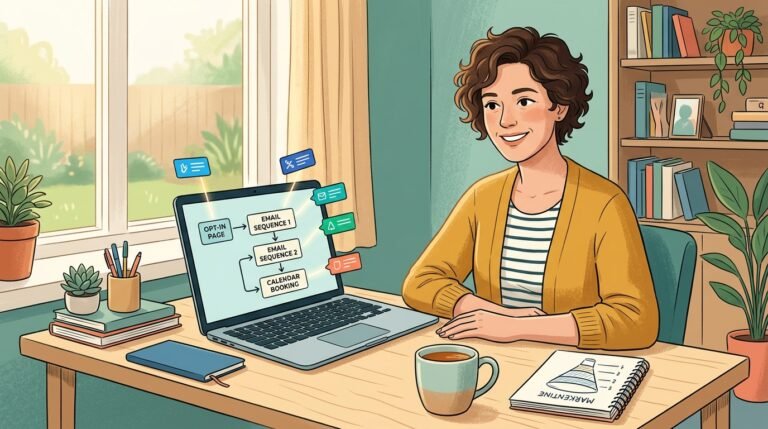
- Enquiry: a short application with the type of support they’re looking for, then a booking link for an introductory call.
- Before the call: confirmation and a gentle question to reflect on, plus a reminder the day before.
- After the call, deciding: a follow-up that both partners can read, then a second note a week later.
- New client: welcome, what to expect, intake questions and how to book sessions.
- Between sessions: a short reminder of the practice or conversation they agreed to try.
- End of package: a reflection and an invitation to discuss maintenance sessions or a next step.
Wording you can copy
After an introductory call with a couple: “Thank you both for talking with me today. If it helps, here is a short summary of how the coaching would work and what the first month looks like: [link]. Take the time you need to talk it over together, and reply whenever you’re ready.”
A week later: “Hi [Name] and [Name], I wanted to check whether you had any questions after our conversation. I have a couple of session times free next week if you’d like to begin.”
Between sessions: “A quick reminder of what you agreed to try before our next session: [practice]. There’s no right or wrong outcome; just notice what happens and bring it with you.”
Keep subject lines neutral, such as “Your next session” or “Following up”, rather than anything that names the issue you’re working on.
Confidential notes: keep them minimal
In any CRM for relationship coaches, record only what you need to coach well: goals, agreed practices and session dates. Avoid detailed accounts of what each partner said, and never record anything one partner shared privately where the other could see it.
If you are a licensed therapist or counsellor rather than a coach, your notes are likely to be clinical records, and they belong in a practice-management system built and contracted for that, not in a marketing tool or general CRM.
If concerns about safety come up in a session, follow your professional guidelines (for coaches, the ICF Code of Ethics) and refer to appropriate support services, such as the National Domestic Violence Hotline in the US, rather than recording details in a sales system.
Running a practice with several coaches?
Zoho CRM lets you link both partners to one account, route enquiries to the right coach and control who can see which records. Free edition for up to 3 users; workflow automation on paid editions.
Why general coaching tools fall short
Most coaching software assumes one client per engagement. That works for life or career coaching, but it breaks the moment two people share a package. Reminders go to one partner, invoices to the other, and nobody is sure who agreed to what.
A CRM for relationship coaches needs to treat the couple as one engagement and each partner as a person. That means two linked contacts, shared reminders for joint sessions and separate notes for individual sessions.
It also needs to be discreet by default. Subject lines, sender names and even calendar invites can reveal more than clients want, so a good CRM for relationship coaches lets you control exactly what goes out and when.
Setting up couples correctly
- Create both partners as contacts, each with their own email and phone number.
- Link them to one account, deal or tag so the engagement sits in one place.
- Decide who receives what: joint session reminders to both, individual session reminders to one.
- Keep private notes private. If a partner shares something in an individual session, store it where only you can see it.
- Use one invoice per engagement unless the couple asks to split payment.
Ten minutes spent on this structure saves awkward mistakes later. It’s the main thing that separates a CRM for relationship coaches from a generic contact list.
Individuals, dating clients and separations
Not every relationship client comes as a couple. Many coaches also work with individuals improving a relationship, people dating again and people going through a separation. Each needs different wording.
- Individuals: focus on their goals and practices, never assume the partner knows about the coaching.
- Dating clients: lighter, encouraging check-ins between sessions.
- Separation clients: extra care with tone and timing, and no promotional messages.
Tagging by client type in your CRM for relationship coaches makes sure each group only receives messages that fit their situation.
Workshops, programmes and online courses
Workshops for couples and online programmes are a natural way to grow beyond one-to-one sessions. They also need a slightly different setup: a waitlist page, a short launch sequence and a welcome email for everyone who joins.
An all-in-one CRM for relationship coaches handles this without extra tools, because opt-in pages, payments and course hosting live in the same account as your client records. Past workshop attendees then become warm leads for private coaching.
What to measure
- Introductory calls booked and how many became clients.
- Time to decision: couples often take longer, so track it rather than guessing.
- Package completion and how many couples book maintenance sessions.
- Referrals, which are especially strong in relationship coaching.
Review these monthly in your CRM for relationship coaches dashboard or a simple report. If time to decision is long, improve the follow-up that both partners receive; if completion is low, look at the between-session reminders.
Mistakes to avoid
- Writing to one partner only. Follow-up after an introductory call should reach both people who need to decide.
- Revealing too much in subject lines. “Your next session” is fine; anything naming the issue is not.
- Keeping detailed notes in a sales tool. Record goals and practices, not the content of difficult conversations.
- Treating every client the same. A couple, a dating client and someone going through a separation need different messages.
Each of these is easy to fix once you know to look for it. Setting up a CRM for relationship coaches with these rules from day one protects both your clients and your reputation.
Getting started this week
- Create tags for couple, individual, dating and separation.
- Write the introductory-call follow-up so it addresses both partners.
- Add the between-session reminder for active couples.
- Check that every automated subject line is neutral.
That’s enough to have a working CRM for relationship coaches by Friday. Add workshops, programmes and referral messages once the basics run smoothly.
Which CRM for relationship coaches fits your practice
- Systeme.io: solo relationship coaches who sell session packages, workshops or online programmes and grow through email and social media. Tags handle client types, and both partners can be added to the same sequences. Free for up to 2,000 contacts. Not for: practices that need permissions and shared pipelines across several coaches.
- Zoho CRM: practices with several coaches or an assistant. It suits a practice that wants one shared CRM for relationship coaches across the whole team. Accounts can hold both partners as contacts on one engagement, and roles control who sees what. Not for: a solo coach who wants to be set up in an afternoon.
- Pipedrive: coaches with a high volume of introductory calls, or who sell premium programmes and retreats, and want to see exactly who is waiting on a follow-up. Not for: email marketing or programme delivery.
Selling premium programmes or retreats?
Pipedrive shows every couple between introductory call and decision, with a reminder for each follow-up and alerts when a conversation goes quiet. Free trial.
Frequently asked questions
What is the best CRM for relationship coaches?
For most solo relationship coaches, the best CRM for relationship coaches is Systeme.io: booking funnels, email follow-up, payments and programme hosting in one account, free for up to 2,000 contacts. Practices with several coaches are better served by Zoho CRM.
How do I manage couples in a CRM?
Add both partners as contacts and connect them: as two contacts on one account in Zoho CRM, or with a shared tag and a note in Systeme.io. Send joint session reminders to both.
Is it safe to keep session notes in a CRM?
Keep them brief and limited to goals and agreed practices, and restrict access. Detailed or clinical notes belong in a dedicated practice-management system, especially if you are a licensed therapist.
How should I follow up after an introductory call with a couple?
Write to both partners, summarise how the coaching would work, give them time to decide together, and check in once more a week later.
Can reminders go to both partners?
Yes. Any CRM for relationship coaches can do this if both partners are set up as contacts. Joint session reminders can go to both, while individual session reminders go only to the partner who booked.
Is a free plan good enough?
For a solo coach, a free CRM for relationship coaches is usually enough. Systeme.io’s free plan covers up to 2,000 contacts with email sequences and booking funnels; Zoho CRM’s free edition covers up to 3 users.
How do I keep messages discreet?
Use neutral subject lines and sender names, avoid naming the issue in any automated message, and check what your calendar invites display before sending them.
Compare our top picks
Related guides
- CRM for coaches: the complete guide
- CRM for life coaches
- How to set up Systeme.io for coaches
- CRM for therapists
- Appointment reminder texts that cut no-shows
Affiliate Disclosure: This article contains affiliate links. If you sign up through them we may earn a commission at no extra cost to you. It never decides which tool we recommend. See how we test and recommend tools.