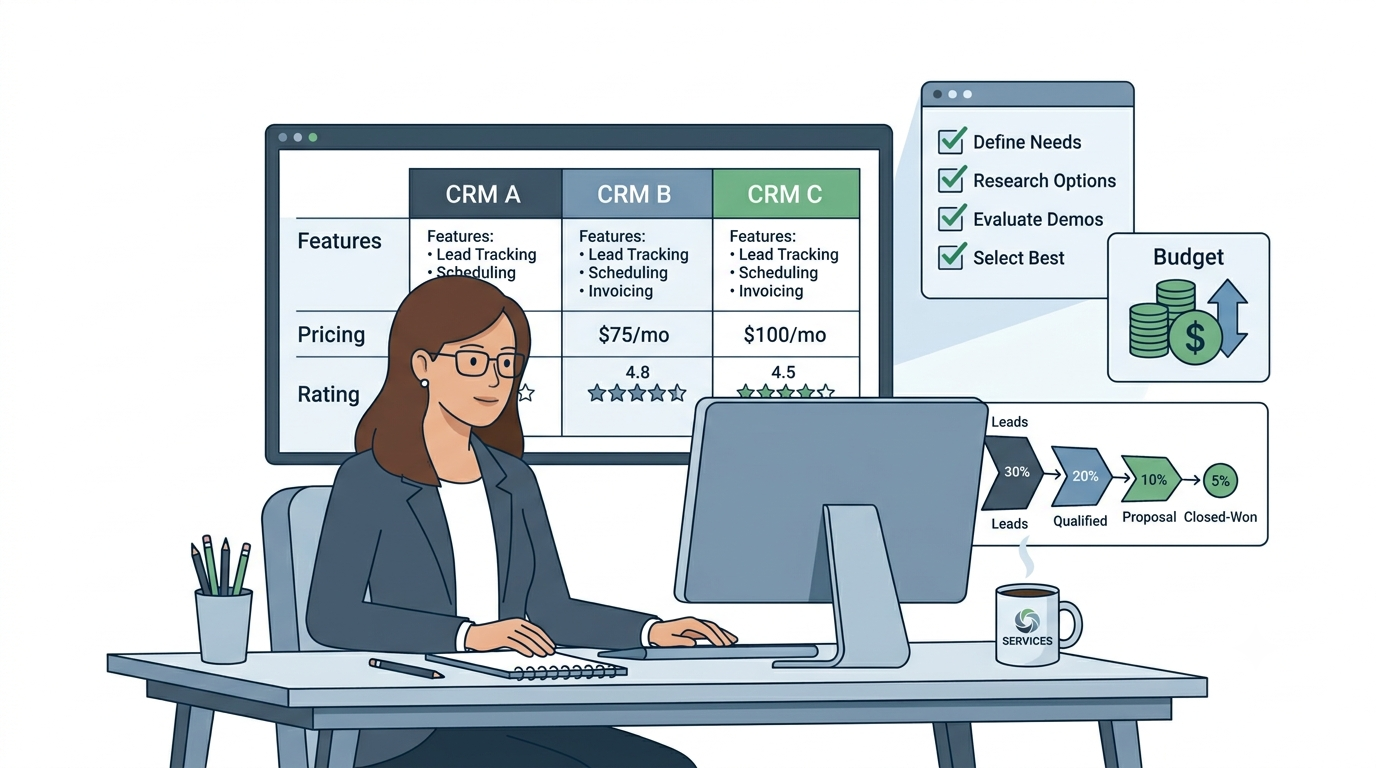
How to Choose CRM for Service Business (2026): The Proven Definitive Guide
Choosing a CRM is one of the most important decisions a service business owner makes. The right one fills your pipeline, automates your follow-up, and pays for itself within months. The wrong one collects dust while your leads go cold.
This guide cuts through the noise and tells you exactly how to choose CRM for service business operations — based on what actually matters, not what makes the best demo.
🔧 Try Pipedrive Free
The most recommended CRM for service businesses. Visual pipeline, deal rotting alerts, and automated follow-up. From $14/user/month.
Step 1: Identify Your Biggest Problem First
The first step to choose CRM for service business growth is to diagnose your biggest problem. Before you look at a single feature list, answer this: what is hurting your revenue most right now?
Problem A — You’re losing leads you could win: Enquiries come in but follow-up is inconsistent, proposals go cold, and you forget to chase. The solution is a CRM with automated follow-up sequences and pipeline visibility.
Problem B — You’re winning jobs but clients don’t come back: Your retention is poor, referrals are sporadic, and existing clients drift away. The solution is a CRM with renewal management and post-project re-engagement automation.
Problem C — You’re managing a team and losing visibility: Multiple engineers, salespeople, or account managers are handling leads and you can’t see what’s happening. The solution is a CRM with team pipelines, user permissions, and manager reporting.
Knowing your primary problem tells you which CRM features matter most — and stops you paying for features you won’t use. This is the most important step when you choose CRM for service business growth.
Step 2: Understand the 4 Types of CRM for Service Businesses
Type 1 — Sales Pipeline CRM (Pipedrive, Zoho CRM): Built to track leads from first contact to signed contract. Best for service businesses whose biggest problem is converting more enquiries into paid work.
Type 2 — All-in-One Automation CRM (Systeme.io, GoHighLevel): Combines CRM pipeline with email automation, funnels, and in GoHighLevel’s case, SMS and reputation management.
Best for service businesses that want to replace multiple tools with one platform. If you need to choose CRM for service business operations that span marketing, sales, and retention, this type covers all three.
Type 3 — Field Service CRM (Jobber, Housecall Pro): Combines basic CRM with job scheduling, dispatch, and invoicing. Best for field service businesses whose biggest problem is operational delivery, not sales pipeline.
Type 4 — Enterprise CRM (HubSpot Professional, Salesforce): Full marketing and sales suite. Best for service businesses billing $1M+ annually with dedicated sales and marketing teams. Overkill for most independent service businesses.
Most service businesses that choose CRM for service business use need Type 1 or Type 2. According to Salesforce CRM adoption research, businesses that use a dedicated CRM see an average 29% increase in sales revenue. Read our full guide on the best CRM for service businesses in 2026 for a complete comparison.
Step 3: How to Choose CRM for Service Business by Team Size
Solo operator (1 person): When you choose CRM for service business solo use, start with Systeme.io free. It gives you a CRM pipeline, email automation, and lead capture in one platform at zero cost. Upgrade only when you outgrow 2,000 contacts or need more advanced automation.
Small team (2–5 people): To choose CRM for service business teams of 2–5, Zoho CRM free (3 users) or Pipedrive Essential ($14/user/month) are the top picks. Both handle team pipelines cleanly without overcomplicating your process.
Growing company (5–20 people): Pipedrive Advanced or Professional gives you team reporting, email sequences, and revenue forecasting. Zoho CRM scales cleanly to 20+ users with workflow automation at every tier.
Established business (20+ people): HubSpot Professional or GoHighLevel for businesses with dedicated sales and marketing functions. The investment is justified when you have the team to use every feature.
Step 4: The 5 Features You Need When You Choose CRM for Service Business
1. Visual pipeline by stage: Every owner who wants to choose CRM for service business use needs to see every lead at every stage at a glance. If a CRM doesn’t have a visual board showing your pipeline from enquiry to closed, it’s not built for sales.
2. Automated follow-up sequences: The single most valuable feature for most service businesses. An automated 3–4 touch follow-up sequence on every proposal wins 30–40% more contracts without additional effort. See our guide on how to follow up on unsold estimates. Research from HubSpot’s sales statistics shows that 80% of sales require five follow-up calls after a meeting, yet 44% of salespeople give up after one.
3. Deal rotting alerts: A must-have when you choose CRM for service business pipelines. Flags any deal that hasn’t moved in your set timeframe. This prevents leads from going cold while you’re busy with existing work.
4. Contact history and notes: Every interaction with every client logged in one place. No more searching email threads to remember what was discussed.
5. Mobile access: Your CRM must work on mobile. Sales conversations happen on site, in the field, and after hours — your CRM needs to be accessible wherever you are.
Step 5: Set a Budget Before You Choose CRM for Service Business Operations
$0/month: Systeme.io free (2,000 contacts, full automation) or HubSpot free (unlimited contacts, no automation). Both are capable starting points.
$14–$27/month: Pipedrive Essential ($14/user) or Systeme.io Startup ($27/month). The most common entry point for service businesses serious about pipeline management.
$49–$97/month: Pipedrive Professional ($49/user) or GoHighLevel Starter ($97/month flat). Best for businesses wanting full automation and team features.
$200+/month: HubSpot Starter Suite, Zoho CRM Plus, or GoHighLevel Pro. Justified for businesses with a dedicated sales function and $300K+ in annual revenue.
Step 6: The 3 Biggest Mistakes When Choosing a CRM for a Service Business
Mistake 1 — Buying too much CRM too soon: The biggest error when you choose CRM for service business use is starting with HubSpot Professional at $890/month when Systeme.io free would do the job. Start simple, upgrade when you outgrow it.
Mistake 2 — Choosing a CRM nobody will actually use: When you choose CRM for service business teams, ease of use matters as much as features. A powerful CRM your team ignores is worse than a simple one they use every day.
Mistake 3 — Using a field service tool as a CRM: Jobber and Housecall Pro are excellent at managing jobs. They are not built to win them. If your biggest problem is converting more leads, use a dedicated sales CRM alongside your field service tool.
Our Top CRM Recommendations by Business Type
| Business Type | Best CRM | Starting Cost |
|---|---|---|
| Solo operator, budget-conscious | Systeme.io | Free |
| Active sales pipeline, small team | Pipedrive | $14/user/month |
| Team of 3–10, need automation | Zoho CRM | Free (3 users) |
| Multi-channel marketing + CRM | GoHighLevel | $97/month |
| Large team, enterprise needs | HubSpot Professional | $890/month |
🚀 Try Systeme.io Free
Not sure where to start? Systeme.io free gives you CRM, email automation, and funnels with zero risk. Upgrade only when you need to.
Frequently Asked Questions: How to Choose CRM for Service Business
What Is the Best Option When You Choose CRM for Service Business at Small Scale?
Systeme.io is the best starting point for small service businesses — it’s free for 2,000 contacts with full email automation. For businesses with an active sales pipeline, Pipedrive at $14/user/month is the most recommended paid option. Our full guide to the best CRM for small businesses covers every option in detail.
How Long Does It Take to Set Up a CRM?
A basic CRM pipeline — contacts, stages, and notes — can be set up in a few hours.
Automated follow-up sequences and workflow automation typically take 1–2 days to configure properly. Start simple: get the pipeline working first, then add automation layer by layer.
Should I Use a Free or Paid Option When I Choose CRM for Service Business?
When you need to choose CRM for service business use, the answer on budget is almost always: start free.
Systeme.io free and Zoho CRM free are both genuinely capable tools that many service businesses never need to upgrade from. Pay only when you hit a specific limitation — contact limits, automation caps, or user restrictions — not because paid feels more professional.
Compare Our Top CRM Picks
Related Guides
- Best CRM for Service Businesses in 2026
- Best Free CRM for Service Businesses
- Pipedrive Review for Service Businesses
- Zoho CRM Review for Service Businesses
- How to Follow Up on Unsold Estimates
Affiliate Disclosure: This article contains affiliate links. We may earn a commission if you make a purchase, at no extra cost to you.