CRM for Multi-Location Service Businesses: Routing, Reporting and a Zoho Setup Guide
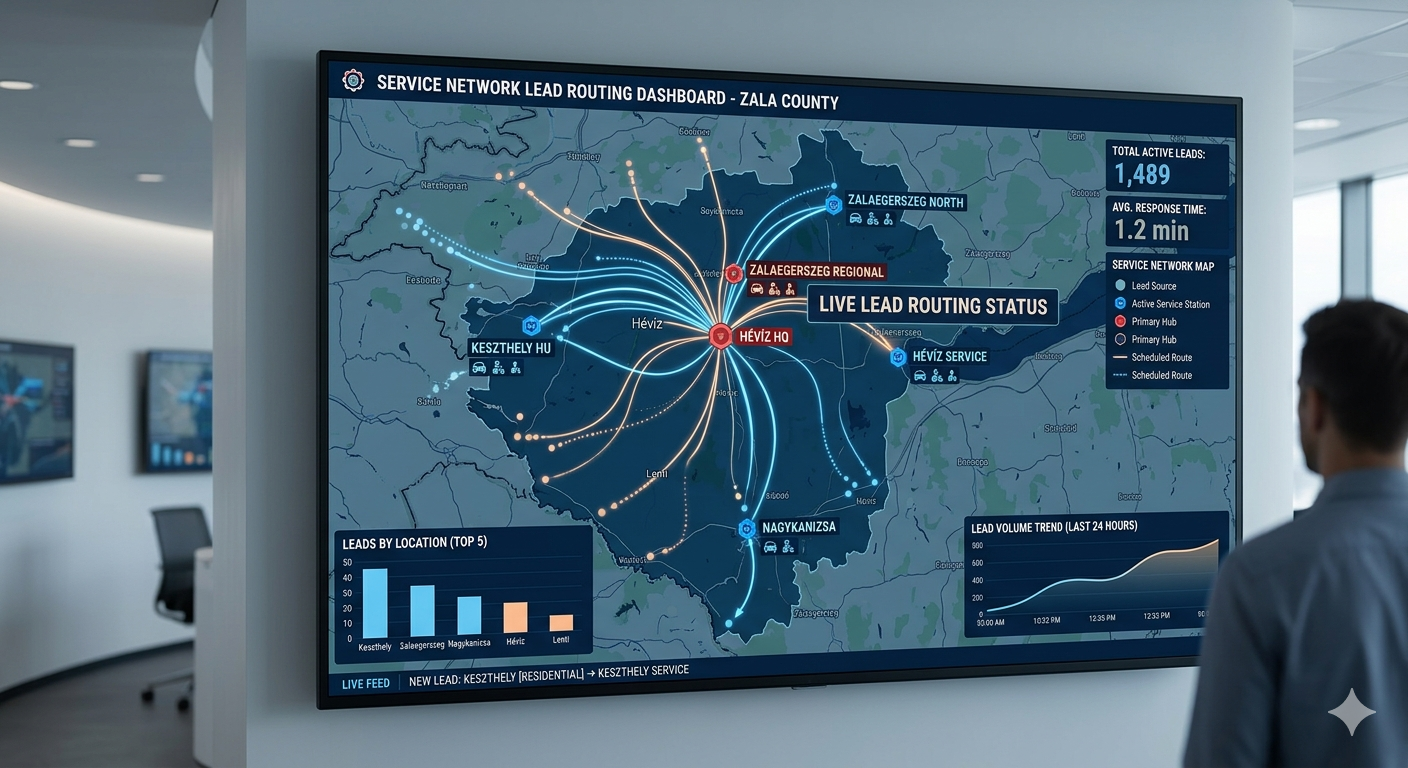
A customer in the north of the city fills in your website form. The enquiry lands in a shared inbox, the south branch picks it up because they happened to see it first, and a crew drives 50 minutes each way for a two-hour job. Meanwhile the north branch never knew the lead existed. Nobody made a mistake; the system just wasn’t built for more than one location.
Once you open a second or third branch, the questions change: which location gets which lead, how each branch is really performing, and how to keep pricing and follow-up consistent everywhere. This guide covers the setup mistakes to avoid, a step-by-step Zoho CRM setup for multiple locations, and how to open the next branch without rebuilding everything.
Editor’s choice for multi-location businesses: Zoho CRM
Route leads to the right branch automatically, give each manager their own view, and see every location side by side. Free edition for up to 3 users; workflows and territory features come with paid editions.
The four mistakes that make growth painful
A separate account per location. It feels tidy, but it splits your reporting. You end up logging into three dashboards to see how the business is doing, and customers who use two branches exist twice.
Copying automations by hand for each branch. Build every follow-up sequence once at company level and use fields (branch phone number, manager name, address) for the local details. Then a new branch inherits everything on day one.
Leaving lead routing for later. A customer should never get a call from a crew two hours away because postcode routing wasn’t set up before branch two opened.
No central control of prices and messages. Small differences add up: one branch quotes differently for the same job, another still uses a promotion head office ended months ago. Keep quote templates and approved wording in one place.
What a multi-location CRM needs
- Routing by territory: new enquiries assigned by postcode, service area or branch automatically.
- Branch and company reporting: managers see their location; the owner sees every branch side by side and the total.
- Shared automations: the same follow-up, reminder and review-request sequences everywhere.
- Role-based access: a branch manager or franchisee sees their records, head office sees everything.
- One customer record: the full history, whichever branch served them.
Setting up Zoho CRM for multiple locations: step by step
- Add a “Branch” field (a picklist) to Leads, Contacts and Deals, and a “Postcode” field if you don’t capture one already.
- Set up roles that mirror your structure: Owner → Regional manager → Branch manager → Staff. Records owned by people lower in the hierarchy are visible to those above them.
- Create assignment rules for new leads: if the postcode is in branch A’s area, assign to branch A’s queue or manager; otherwise to branch B. On higher editions, territory management can do this with territory-level permissions and reports.
- Build one follow-up workflow triggered by lead creation or stage change, using merge fields for the branch phone number and manager name so the same workflow serves every location.
- Make one report per key number (enquiries, quotes sent, jobs won, revenue) grouped by Branch, and put them on a single dashboard.
- Test with dummy leads from each area before going live.
Check which features your Zoho edition includes before you start. Assignment rules and roles are widely available; full territory management is a higher-edition feature.
Franchises and multi-owner setups
If each location has its own owner, access matters more. A franchisee should see their own location’s customers and numbers, not every other branch’s. Head office keeps full visibility. Build the role hierarchy to match how the business is actually managed rather than giving everyone full access by default, and agree early who can see revenue figures. If reps earn commission by territory, record the branch on every deal so credit goes to the right person even when the lead came from another location’s campaign.
Running sales reps at each branch?
Pipedrive can give each location its own pipeline while the owner sees a combined view, with visibility settings so reps only see their own branch’s deals. Free trial.
Which tool fits
- Zoho CRM: the best fit for most multi-location service businesses, especially once you need routing rules, roles and branch-level reporting. Not for: a two-branch business that just needs a shared calendar.
- Pipedrive: multi-location businesses with sales reps per territory, where each branch runs its own quote pipeline. Not for: scheduling and dispatch across crews.
- Field-service software such as Jobber or Housecall Pro: worth comparing if dispatching crews across locations is your main headache. We don’t have partnerships with them.
Opening the next location without starting over
Done well, a new branch is a configuration job, not a rebuild: add a picklist value, a territory or assignment rule, a local phone number and a manager. Time how long it takes to get a new location live, from the first lead routed to the first automated follow-up sent. If it takes more than a day, something in your original setup was built for one location rather than for all of them, and it’s worth fixing before the next opening.
If you’re moving from spreadsheets and separate inboxes, the biggest gain usually isn’t a clever feature. It’s that everyone finally looks at the same numbers.
Frequently asked questions
What’s the best CRM for a multi-location service business?
For most, Zoho CRM: it handles routing, roles and branch reporting in one system. Pipedrive suits businesses where each branch runs its own sales pipeline.
How does lead routing work across locations?
You capture a postcode or service area on every enquiry, then assignment rules (or territories) send the lead to the right branch or person automatically.
Can I see each location and the whole company?
Yes. Group reports by a Branch field and put them on one dashboard; managers get filtered views of their own location.
How do franchise owners see only their own data?
Through roles and permissions (and territories on editions that include them), so each owner’s access is limited to records assigned to their location.
Compare our top picks
Zoho CRM
Free edition for 3 users. Assignment rules, roles and branch reporting. Workflows on paid editions.
Related guides
- CRM for cleaning franchises
- CRM integrations for service businesses
- Zoho CRM review for service businesses
- CRM workflows for home service businesses
- Why slow lead follow-up costs more than you think
Affiliate Disclosure: This article contains affiliate links. If you sign up through them we may earn a commission at no extra cost to you. It never decides which tool we recommend. See how we test and recommend tools.